 PocketPrism
💰
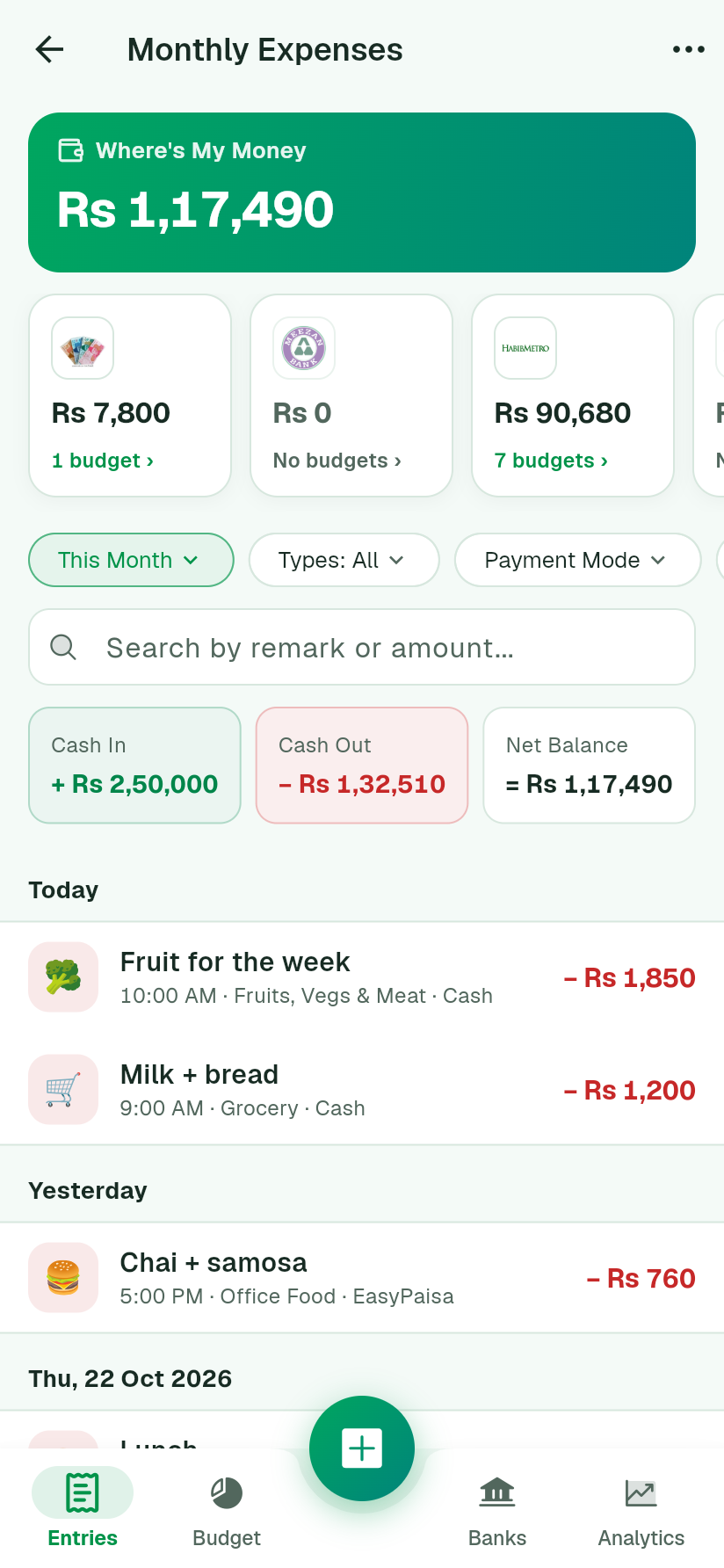
Where's My Money
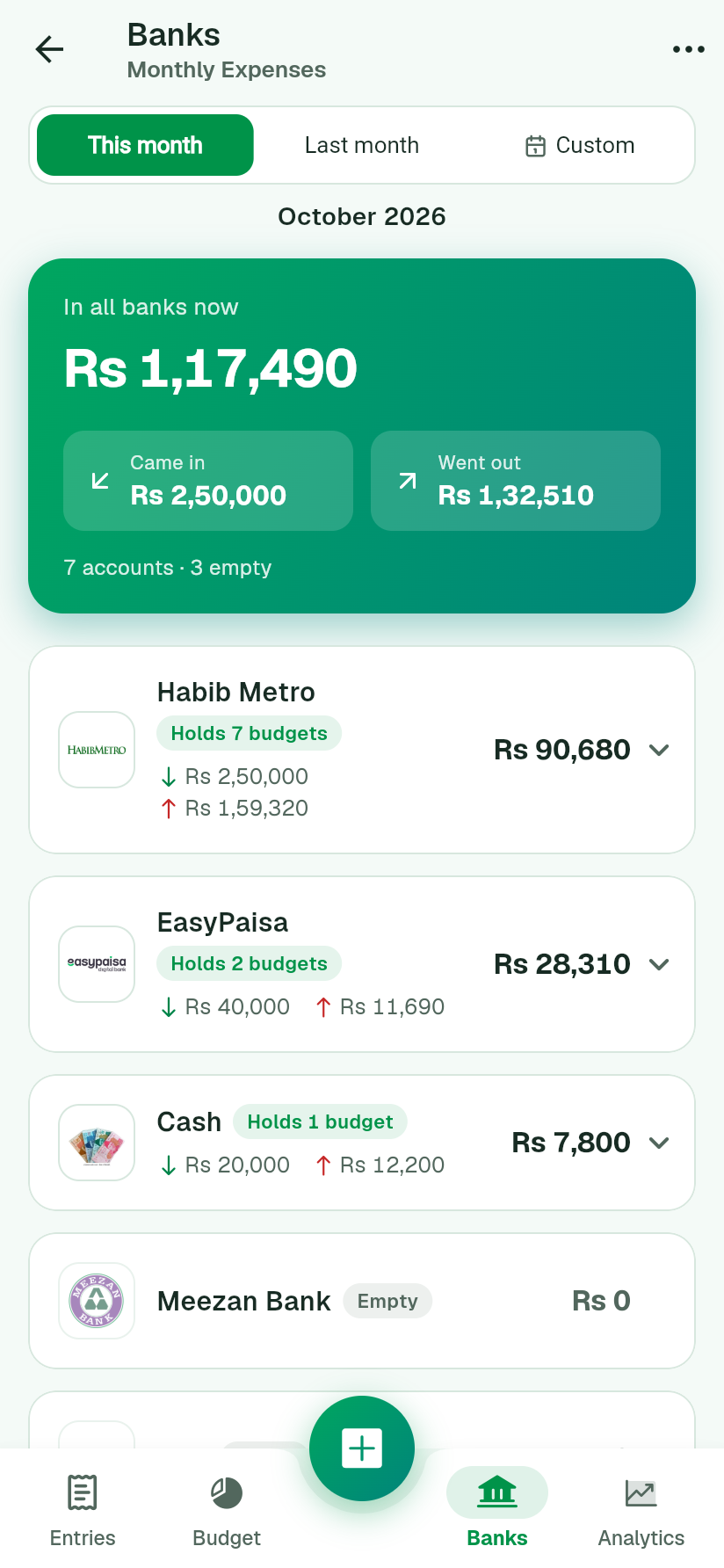
Every account's balance at a glance: banks, mobile wallets and cash. Tap one to see which budgets it holds.
Record what comes in and goes out, set a budget for each category, and see exactly where each budget's money sits: Habib Metro, EasyPaisa, cash in the drawer. It works offline, on the web and on Android.
Ghar ka hisaab, ab aasan.
Free forever for one family. No card needed.
Salary lands in one bank, then gets split across wallets and cash. PocketPrism follows the money, so each budget knows where its rupees actually are.
Salary arrivesRs 2,50,000 lands in Habib Metro. Every budget starts there.
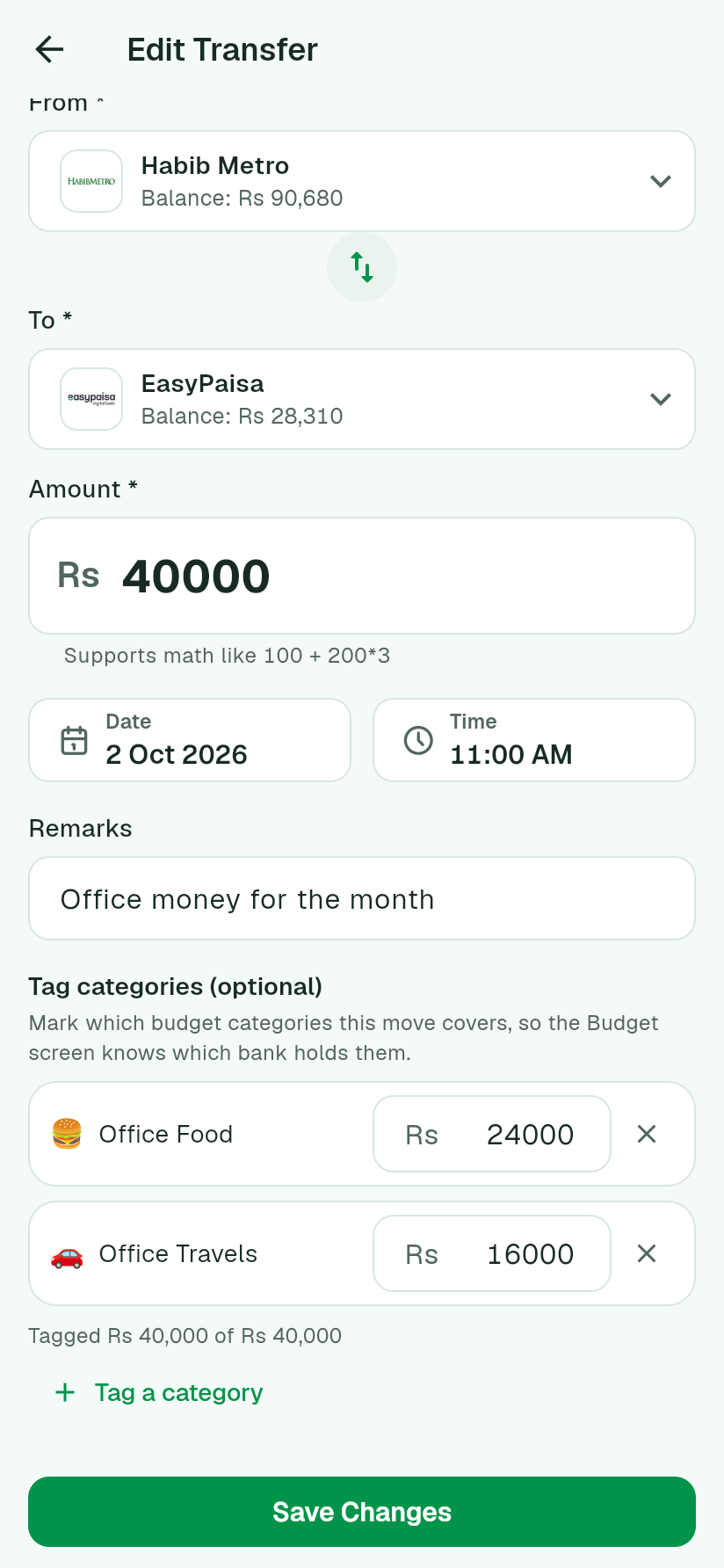
You move money, and tag itSend Rs 40,000 to EasyPaisa: 16,000 is Office Travel, 24,000 is Office Food.
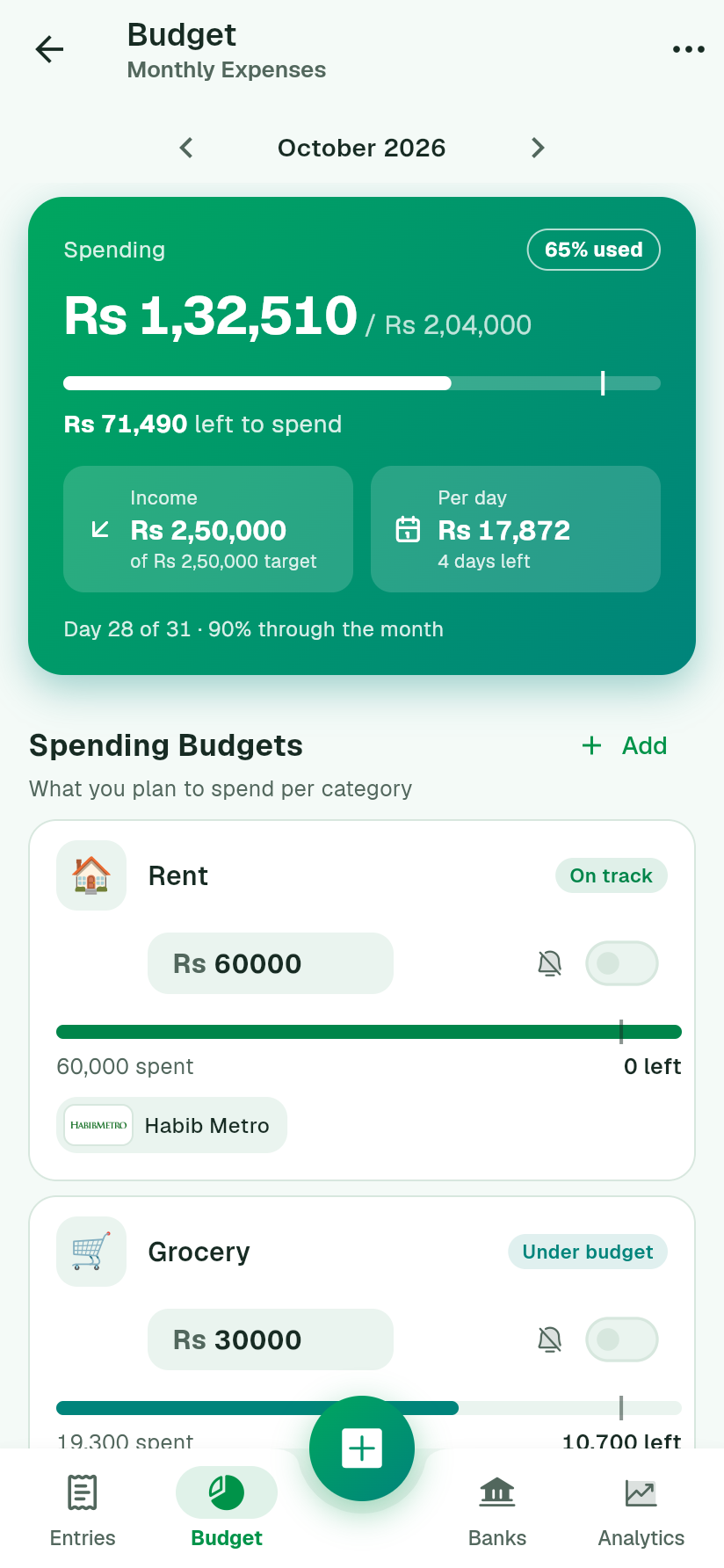
Every budget knows its bankBudget cards show "EasyPaisa: Rs 24,000". The Banks tab shows what each account holds, and where it went.
Built for how Pakistani families actually manage money: salaries, wallets, cash and a shared household.
Every account's balance at a glance: banks, mobile wallets and cash. Tap one to see which budgets it holds.
A budget per category, and a marker showing where you should be by today. Spending too fast? You'll know by mid-month.
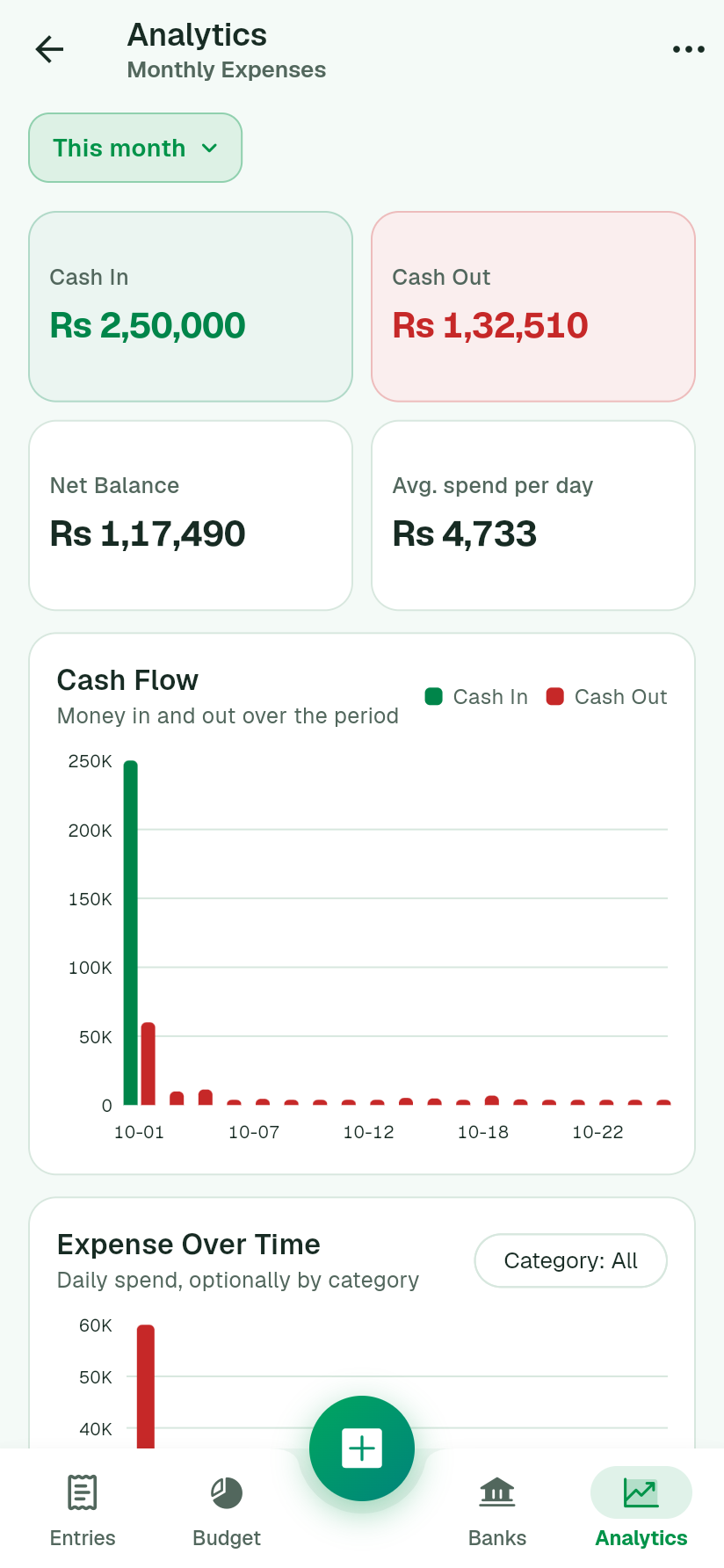
Where the money went, by category, by day, by bank. Compare this month with the last.
Husband and wife, or the whole family, in one book. Share by username or email, as "can edit" or "view only", and everyone sees every entry as it happens.
Add entries with no signal. They sync by themselves when you're back online, with nothing lost and nothing duplicated.
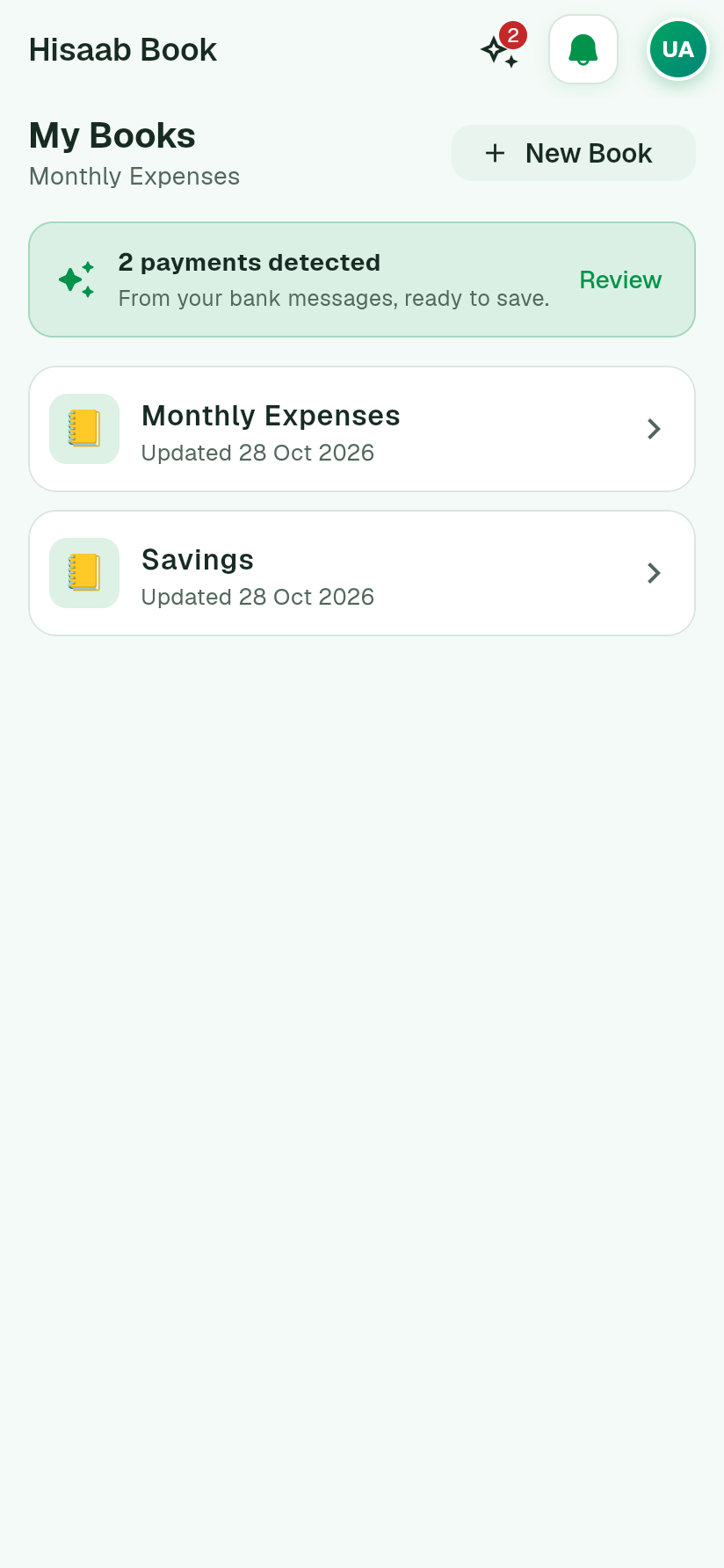
Forward your bank's alert emails to your own PocketPrism address (Pro), and every payment lines up to save in a tap, on any phone or the web. Or add one from a screenshot of a receipt, read right on your phone.
Paste a bank or wallet SMS and the entry fills itself. Rent and salary repeat every month on their own, and a payment reminder tells you the day a fee or bill is due, ready to record in a tap.
Attach the receipt to the entry. Share a clean PDF report, with Urdu remarks printed properly.
Nine stops through the real app. Use Next, or tap a number to jump.
The app shows the same guide, step by step, the first time you open each screen.
On the web or on Android. Your books come ready with common categories and Pakistani banks and wallets.
Rs 30,000 for groceries, Rs 15,000 for fuel. Or copy last month's plan in one tap.
Cash in, cash out or a transfer between accounts, in seconds. Share the book and your family sees it too.
Try every Pro feature free for 7 days. Cancel anytime in Google Play.
Free forever
or Rs 2,499 a year, about 30% less
Pro is bought through Google Play on Android, and works on the web with the same account.
Your books are only visible to you and the people you share them with. Data travels encrypted (HTTPS) and is stored on secured cloud servers. We never sell your data and never show ads. See the privacy policy.
Yes. Add, edit and delete entries with no signal; they sync by themselves once you're back online, without duplicates. On the web, open the app once while online and it keeps working if the connection drops.
Yes. Open the book, tap ⋯ then "Share book", and add them by their username or email; they need a free account. They can edit, or only view. Free shares each book with 2 people; Pro has no limit.
With Pro, you forward your bank's alert emails to your own PocketPrism address, using a Gmail filter we walk you through. PocketPrism works out the amount, the account and who it was with, and shows each payment under Detected payments, on any phone or on the web. Nothing is saved until you tap Save, and messages that aren't payments, like OTPs, are ignored. On any plan you can also add a payment from a screenshot of a receipt, read on your phone. If one isn't read, send it from the app and we'll teach it that format. PocketPrism never reads your SMS or your phone's notifications.
Yes. In a book, tap + then "Payment reminder", say what it's for (school fees, rent, a committee, money someone owes you), and pick the day and time. Add the amount, category and bank if you like. On the day you get a notification; tap it and the entry opens already filled in, and saving it ticks the reminder off. Free sets 1 reminder a month; Pro has no limit.
Yes. In Settings, pick Light, Dark, or follow your phone. Mint comes in both for free; Ocean, Purple and Amber come with Pro.
No. The web version does nearly everything, from any browser. The Android app adds reminders on your phone, and reads payment screenshots right on the phone.
Start Pro on Android and the first 7 days are free. Cancel in Google Play before the trial ends and you won't be charged. If you don't cancel, the plan you picked starts automatically.
Nothing is deleted. Your extra books, tags and history stay; you just can't add new Pro things until you subscribe again.
Free on the web and Android. Set up in two minutes.